
AI se handwritten notes kaise banaye in Hindi?: 99% Log Nahi Jante | Best AI Trick (Step-by-Step)
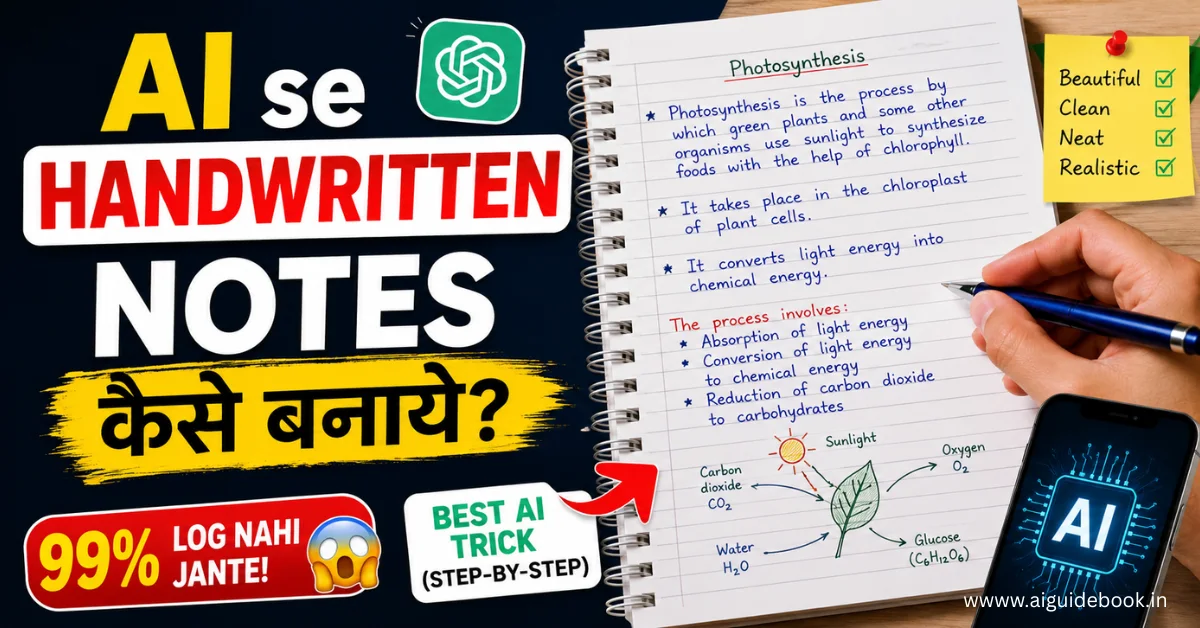
Kya aap bhi ghanto baithkar manual assignments aur notes likhte-likhte thak chuke hai? Jo har student aur content creator daily face karta hai. Lekin ab aapko ghanto pen pakad kar baithne ki bilkul zaroorat nahi hai. Kyunki AI se handwritten notes kaise banaye in Hindi…. aapko ish article mein complete bataya jayega.
Aapka typed text, PDF, ya YouTube video transcript sirf ek click mein ek authentic, handwritten document mein badal jaye? Post padhne ke baad aap swayam AI se digital notes create karna seekh jayenge.
Chahe aap ek Student ho jo fast notes chahta hai, ek YouTuber/Content Creator jise B-Roll graphics chahiye, ya ek Working Professional, yeh method aapka ghanto ka time bachane wala hai.
Also read:- Top 24 AI tools for students
Digital Text Ko Handwriting Mein Convert Karne Ki Zaroorat Kyun Hai?
Aaj ke fast-paced digital world mein koi bhi ghanto baith kar manual handwriting nahi karna chahta. Lekin visual appeal aur realistic feel ki zaroorat ab bhi utni hi hai.
Aapko is smart technique ki zaroorat kyun hai, aao samajhte hai.
1. Efficiency & Productivity
- Smart Work vs Hard Work: Jo kaam pehle 3-4 ghante mein hota tha, woh ab sirf 2 minute mein ho jata hai.
- No Hand Strain: Ghanto pen pakadne ki fatigue aur haath ke dard se hamesha ke liye chhutkara.
- Bulk Creation: Ek saath 10-15 pages ke notes ya assignments ko ek hi click mein generate kare.
2. Content Creation & Visual Assets
- Aesthetic Reels & Shorts: Social media par handwritten graphics aur aesthetic note-style visuals ka engagement rate zyada hota hai.
- Unique B-Rolls: Apni YouTube videos ke background mein use karne ke liye realistic handwritten textures aur overlays ready kare.
- Custom Lead Magnets: Apne subscribers ya audience ke liye digital cheat-sheets aur guides ko ek personal touch dekar distribute kare.
3. Document Personalization
- Boring PDFs Ko Better Banayein: Standard digital fonts (Aptos, Calibri) bahut mechanical lagte hai. Handwriting style se document human-friendly lagta hai.
- Visual Texture: Paper backgrounds, ink colours, aur organic alignment se document mein ek premium aesthetic look aata hai.
Also read:- AI se PPT kaise banaye?
AI Handwritten Notes Banane Ke Liye Kya-Kya Chahiye?
AI se realistic handwritten notes generate karna bahut aasan hai, lekin process ko smooth rakhne ke liye pehle se kuch basic cheezein ready rakhna zaroori hai.
Is trick ko use karne ke liye aapko in requirements ki zaroorat padegi.
1. Clean Digital Text
Pehle se ready kiya hua text hona chahiye jise aap handwriting mein badalna chahte hai. Iske liye aap.
- Drafted Notes & Scripts: ChatGPT, Claude, ya Notion AI se generated text use kar sakte hai.
- YouTube Transcripts & PDFs: Kisi video ki script ya kisi book ka summary text copy kar sakte hai.
- Pro Tip: Text mein spelling errors aur extra unwanted symbols ko pehle hi clean kar lein taaki final document professional dikhe.
2. Browser & Internet Connection
- Device: Aap laptop, PC, ya smartphone, kisi bhi device ka use kar sakte hai.
- Browser: Chrome, Edge, ya Safari jaisa koi bhi standard browser properly kaam karega.
- Software: Kisi heavy software ya Paid app ko download karne ki bilkul zaroorat nahi hai.
3. Free AI Text-to-Handwriting Tools
Market mein multiple web-based platforms available hai jo digital text ko instant handwriting mein convert kar dete hai.
- Popular Platforms: Text-to-Handwriting web tools, Handwriting.io, aur Custom AI Font generators.
- No Account Required: Inme se zyadatar tools free hain aur account login kiye bina bhi fast output dete hai.
4. Custom Font Files
- Standard Fonts: Web tools mein pehle se 10+ standard handwriting fonts (Ruled paper fonts, Cursive, Clean print) hote hai.
- Personalized Touch: Agar aap chahte hain ki notes Aapki Apni Real Handwriting mein dikhein, toh aap
.ttfya.otffont file import kar sakte hain (is step ko hum aage detail mein samjhenge).
Also read:- AI se paise kamaye
AI Se Handwritten Notes Kaise Banaye? Step-by-Step Guide
AI se authentic handwritten notes banana bahut aasan hai. Bas aapko niche diye gaye 4 steps ko follow karna hai.
Step 1: Source Text Prepare Karna
Sabse pehle aapko woh content taiyar karna hai jise aap handwriting mein badalna chahte hai.
- Drafting: ChatGPT, Claude, ya Notion AI ki madad se apne topic ka clean aur structured text generate kare.
- Formatting Cleanup: Extra symbols, unwanted markdown bold signs (
**), aur long paragraphs ko hata kar text ko clear bullet points aur short headings mein divide kare. - Grammar Check: Text ko pehle hi proofread kar lein, kyunki baad mein handwriting image par editing karna mushkil hota hai.
Step 2: Best AI Platform Par Text Paste Karna
Ab aapko kisi bhi reliable Free AI Text-to-Handwriting platform (jaise Text-to-Handwriting web app) par jana hai.
- Dashboard Navigation: Site open karte hi aapko ek bada Text Editor Box dikhega.
- Paste Content: Apne prepared content ko copy karke is box mein paste kare.
- Instant Preview: Screen ke right side par aapko text ka live handwritten preview dikhna shuru ho jayega.
Step 3: Customization & Realistic Effect Add Karna
Note ko 100% natural aur realistic dikhane ke liye yeh sabse important step hai.
- Font Style Selection: Natural-looking cursive ya clean print handwriting font select kare (Aise fonts choose kare jinme letters thode imperfect dikhte hon).
- Ink Color & Pen Effect: Standard Dark Blue ya Black ink select karein. Ballpoint ya Gel pen effect toggle ko on kare.
- Paper Background: Ruled paper (line wali notebook), grid paper, ya textured paper background select kare.
- Realism Tweaks (Important Settings):
- Line Spacing & Margins: Page margins ko thoda space dein.
- Letter Slant & Variance: Handwriting ko thoda natural angle (slant) dein taaki exact straight machine-generated na lage.
Step 4: High-Quality Export & Download
Customization complete hone ke baad aapka document download ke liye ready hai.
- Format Selection:
- Agar single page hai, toh PNG / JPEG (High Resolution) choose kare.
- Agar multiple pages ka assignment/guide hai, toh PDF Format select kare.
- Download: “Generate Image / Export PDF” button par click karke file ko apne device mein save kar lein.
Also read:- AI se script kaise likhe?
Content Creators & YouTubers Ke Liye Special Use-Cases
AI handwritten notes sirf students ke homework tak limited nahi hain. Agar aap ek YouTuber, social media creator, ya digital marketer hai, toh yeh workflow aapke content game ko ek alag level par le ja sakta hai.
Dekhiye aap isko apne content mein kaise leverage kar sakte hai.
1. YouTube B-Roll & Visual Assets
- Dynamic Video Overlays: Apni video mein kisi complex topic ko samjhate waqt screen par realistic handwritten notes ya diagram display karein. Isse video ka retention rate badhta hai.
- Aesthetic Editing Touch: Videos ke background mein boring digital text ki jagah paper-texture wali handwriting visual ka use karke b-roll quality improve kare.
- Time-Lapse Effect: In generated handwritten pages ko editing software mein mask karke write-on effect de sakte hain, jo dekhne mein 100% natural lagta hai.
2. Digital Products & Lead Magnets
- Aesthetic E-Books & Cheat Sheets: Standard PDFs ke bajaye handwritten-style study materials, code cheat-sheets, ya revision guides taiyar karke sell kare.
- Audience Growth (Lead Magnets): Free handwritten guides offer karke apne newsletter ya Telegram channel par subscribers grow kare.
- Premium Feel: Authentic handwriting look digital guides ko ek premium, personalized aur hand-crafted feel deta hai, jisse unki perceived value badh jati hai.
3. Faceless Social Media Reels & Shorts
- Viral Aesthetic Content: Instagram aur YouTube Shorts par Studygram aur Aesthetic Notes Niche ka reach bahut zyada hai. Aap faceless channels ke liye viral educational reels bana sakte hai.
- Fast Content Production: Daily 5–10 aesthetic reels ke visuals sirf kuch minutes mein generate kare, no physical camera setup required!
- Text-Overlay Shorts: Background mein aesthetic lo-fi music aur screen par moving handwritten notes ka combination shorts engagement ke liye best kaam karta hai.
Also read:- Handwritting ko text mein kasie badale?
Apni Real Handwriting Ko AI Font Mein Kaise Convert Kare?
Agar aap chahte hai ki generated notes 100% natural lagein aur kisi ko shakk bhi na ho, toh sabse best tarika hai apni khud ki handwriting ko AI font mein badal dena.
Is trick se AI aapke dwara likhe gaye alphabets ko seekh leta hai aur aap jo bhi type karenge, woh aapki exact handwriting mein convert ho jayega!
1. Yeh Process Kaise Kaam Karta Hai?
Step 1: Handwriting Template Fill Kare
- Calligraphr ya Fonty jaisi free sites par jayein aur unka official alphabet template download kare.
- Template ko print karke (ya tablet/iPad par) apne normal style mein A-Z, 0-9 aur basic punctuation marks write kare.
- Scan karke ya clear photo click karke image save kar lein.
2. Step 2: Custom Font File (.ttf / .otf) Generate Kare
- Template ki image ko site par upload kare.
- Platform aapke har letter ko crop karke ek digital font file mein convert kar dega.
- “Build Font” par click karein aur apni custom font file (
.ttfya.otfformat) download kar lein.
3. Step 3: AI Tool Mein Import Karein & Notes Banaye
- Text-to-Handwriting AI tool ke font options mein jayein aur “Upload Custom Font” choose kare.
- Apni downloaded font file ko select kare.
- Ab jab bhi aap text paste karenge, notes Aapki Apni Real Handwriting mein generate honge.
Also read: AI se image banaye free mein unlimited
Common mistakes: Avoid kare
- 100% Perfect Alignment: Lines aur margins ko bilkul seedha aur mathematical rakhna (jisse handwriting unnatural aur robot-generated lagti hai).
- Unrealistic Font Choice: Aise fonts choose karna jinke letters mechanical aur repeating lagte hon, bajaye natural handwriting fonts ke.
- Over-Saturated Ink Colour: Bright digital blue ya pitch black colour select karna jo real pen ink ki bajaye digital texture jaisa dikhta hai.
- Ignoring Spacing & Slant: Line spacing, letter variance aur subtle angle (slant) ko adjust na karna.
- Low-Resolution Export: Document ko low-quality JPEG mein export karna, jisse text blur ho jata hai.
- Formatting Errors: Raw text mein unwanted markdown symbols (
**,#,_) rehne dena jo handwriting mein conversion ke waqt kharab dikhte hai.
Conclusion:
AI text-to-handwriting tools se aap apne boring digital text ko kuch hi seconds mein authentic handwritten notes mein badal sakte hai. Isse na sirf aapka ghanto ka time bachta hai, balki aapke content ki visual appeal bhi kai guna badh jati hai.
- Smart Automation: Long assignments, scripts aur summaries ko 1-click mein handwriting mein convert kare.
- 100% Personalization: Blue/Black ink, ruled paper, letter slant aur custom font ke zariye natural look dein.
- Multi-Purpose Use: Students assignments ke liye aur creators aesthetic YouTube b-rolls & reels ke liye is workflow ka fayda utha sakte hai.
Ummid hai ye post aapke liye helpful rahi hogi… isko apne friends ke saath bhi zaroor share kare.
AI ki duniya bahut badi hai. Agar aap aise hi aur Smart AI Tutorials aur Viral Hacks miss nahi karna chahte, toh hamare Newsletter ko subscribe kare. Ya phir, niche diye gaye hamare baki AI guides ko check out kare aur bane ek AI pro…!
FAQs:
1. Kya AI se bane handwritten notes 100% realistic lagte hai?
Ans: Haan, GAN technology aur natural stroke variation ke kaaran letter size, pressure aur slant mein human-like imperfections aati hain, jisse yeh 100% real lagte hai.
2. Kya yeh AI handwriting generators free hain aur watermark aata hai?
Ans: Zyadatar top AI tools bilkul free hain aur bina kisi watermark ya branding ke clean PDF/Image export dete hai.
3. Long text ko robot-generated dikhne se kaise bachaye?
Ans: Lambe text ko chhote chunks mein divide karein, natural line spacing rakhein aur slight letter slant ON rakhein taaki repeating pattern na bane.
4. Kya YouTube video ya PDF ko direct handwritten notes mein badla ja sakta hai?
Ans: Bilkul, aap video link ya PDF document upload karke instant summary ko handwritten notes mein export kar sakte hai.
Disclaimer: Yeh article sirf educational aur informational purpose ke liye hai. In AI tools ka use apne personal notes, learning, aur content creation ke liye karein; iska upyog kisi bhi educational institution ya official examination mein unfair practice ya unethical kaam ke liye na karein. Real-looking fonts ya AI-generated documents ki accuracy aur compliance ke liye user khud zimmewar hoga.


